qq info
The qq info command is used to monitor a qq job's state and display information about it. It is qq's equivalent of Infinity's pinfo.
Quick comparison with pinfo
- You can use
qq infowith a job ID to obtain information about a qq job without having to navigate to its input directory.- Unlike
pinfo,qq infofocuses only on the most important details about a job.
The output is intentionally compact and easier to read.
Description
Displays information about the state and properties of the specified qq job, or of qq jobs found in the current directory.
qq info [OPTIONS] JOB_ID
JOB_ID — Identifier of the job to display information for. This argument is optional.
If JOB_ID is not provided, qq info searches for qq jobs in the current directory. If multiple jobs are found, qq info prints information for each job in turn.
Options
-s, --short — Display only the job ID and the current state of the job.
Examples
qq info 740173
Displays the full information panel for the job with ID 740173. You can use either the short ID or the full ID including the batch server address. This only works if the job is a qq job with a valid and accessible info file, and the associated batch server is reachable from the current machine.
This is what the output might look like:
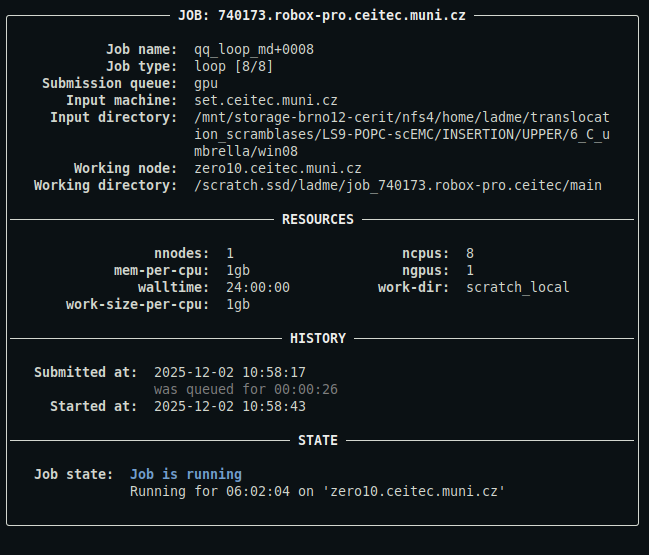
For a detailed description of the output, see below.
qq info
Displays the full information panel for all jobs whose info files are present in the current directory.
This is what the output might look like:
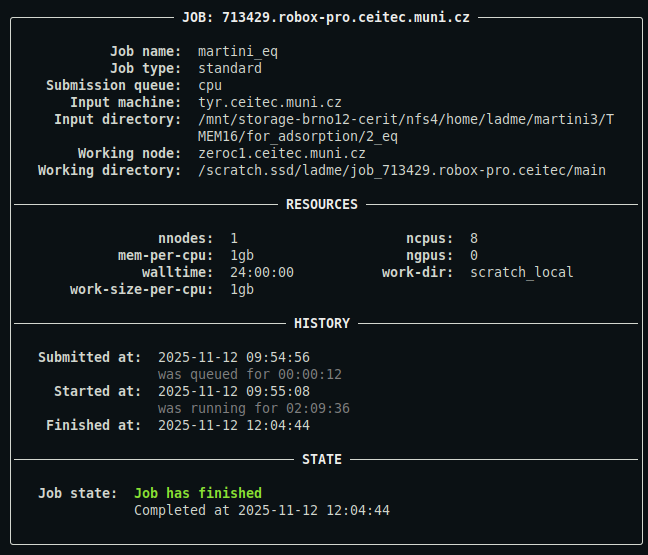
For a detailed description of the output, see below.
qq info -s
Displays short information for all jobs whose info files are present in the current directory. Only the jobs' full IDs and their current states are shown.
Description of the output
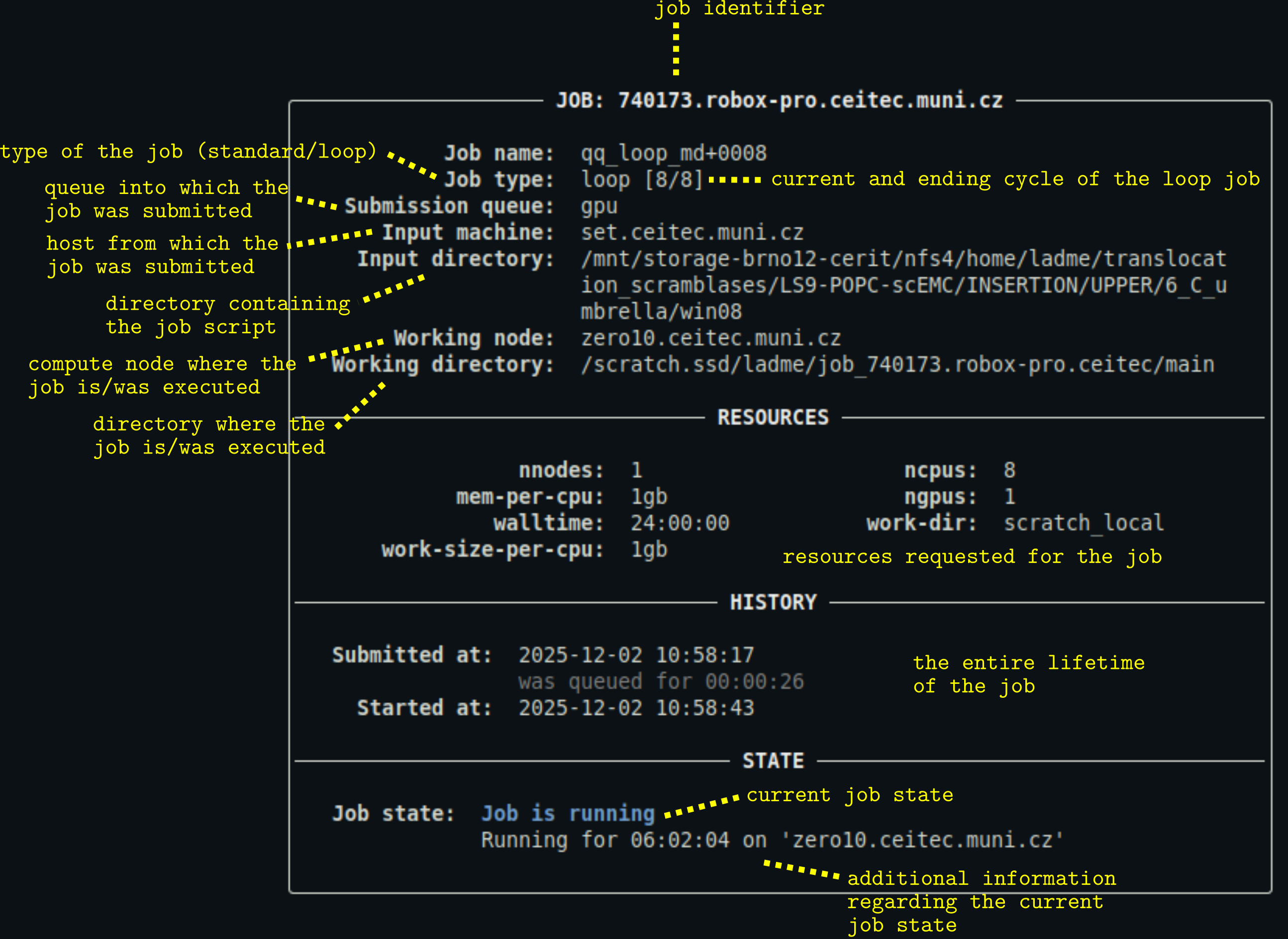
- You can customize the appearance of the output using a configuration file.