qq queues
The qq queues command displays the queues available on the current batch server. It is qq's equivalent of Infinity's pqueues.
Quick comparison with pqueues
qq queuesis generally more accurate at identifying available and unavailable queues thanpqueues.- The only other notable difference is the output format.
Description
Displays information about the queues available on the current batch server. By default, only queues that are available to you are shown.
qq queues [OPTIONS]
Options
-a, --all — Display all queues, including those that are not available to you.
--yaml — Output queue metadata in YAML format.
Examples
qq queues
Displays a summary of all batch system queues to which you can submit jobs.
This is what the output might look like:
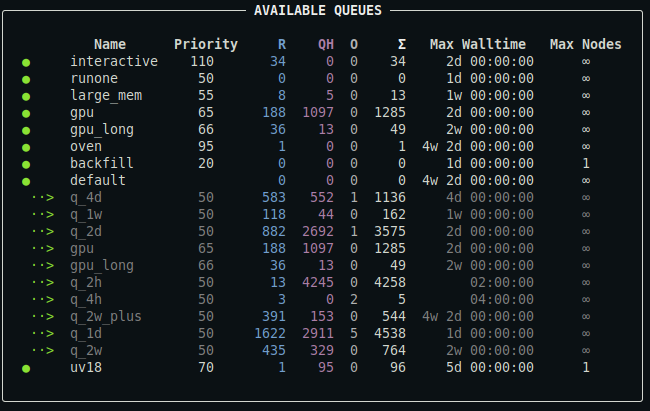
For a detailed description of the output, see below.
qq queues --all
Displays a summary of all queues in the batch system, including those you cannot submit to.
This is what the output might look like:
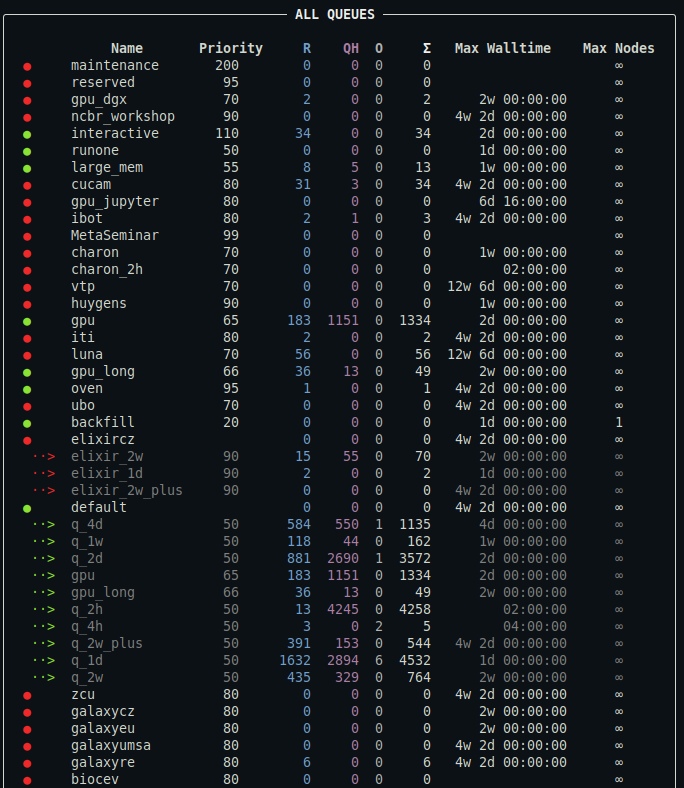
Output truncated. For a detailed description of the output, see below.
qq queues --yaml
Prints a summary of all available queues in YAML format. This output contains the full metadata provided by the batch system.
Description of the output
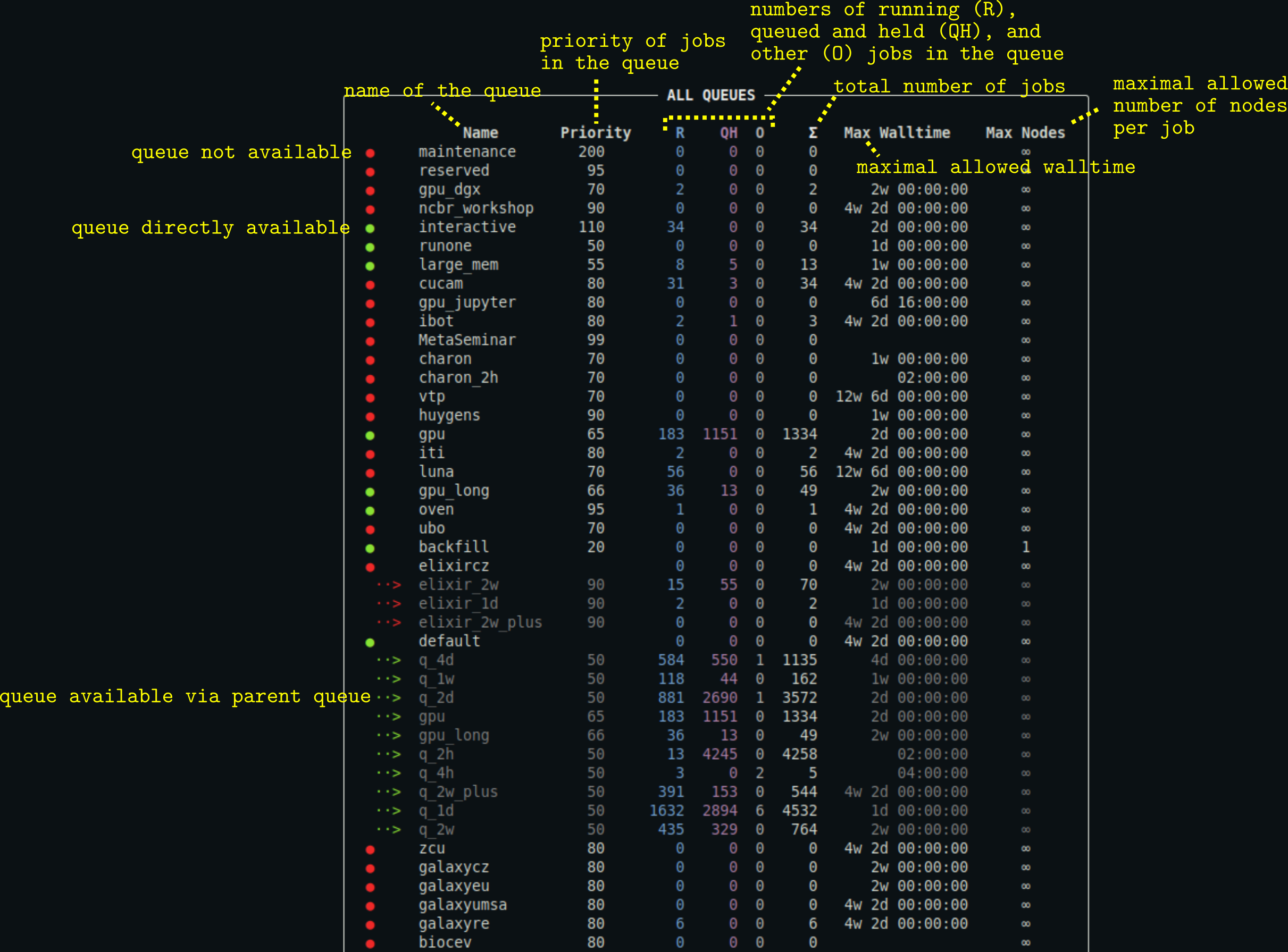
- You can customize the appearance of the output using a configuration file.
- The output may also contain the column
Commentproviding the comment associated with the queue (typically additional information about the queue). Max Nodescolumn is hidden if no queue defines a maximal allowed number of requested nodes per job.