qq nodes
The qq nodes command displays the compute nodes available on the current batch server. It is qq's equivalent of Infinity's pnodes.
Quick comparison with pnodes
- The output of
qq nodesis more dynamically formatted than that ofpnodes. If an entire group of nodes lacks a specific attribute (e.g., no GPUs, no shared scratch storage), the corresponding column is hidden.- Node group assignments are always determined heuristically based on node names. A full match of the alphabetic part of the name is required for nodes to belong to the same group (unlike
pnodes, which uses partial matches).
Description
Displays information about the nodes managed by the batch system. By default, only nodes that are available to you are shown.
qq nodes [OPTIONS]
Nodes are grouped heuristically into node groups based on their names.
Options
-a, --all — Display all nodes, including those that are down, inaccessible, or reserved.
--yaml — Output node metadata in YAML format.
Examples
qq nodes
Displays a summary of all nodes in the batch system that are available to you.
This is what the output might look like (truncated):
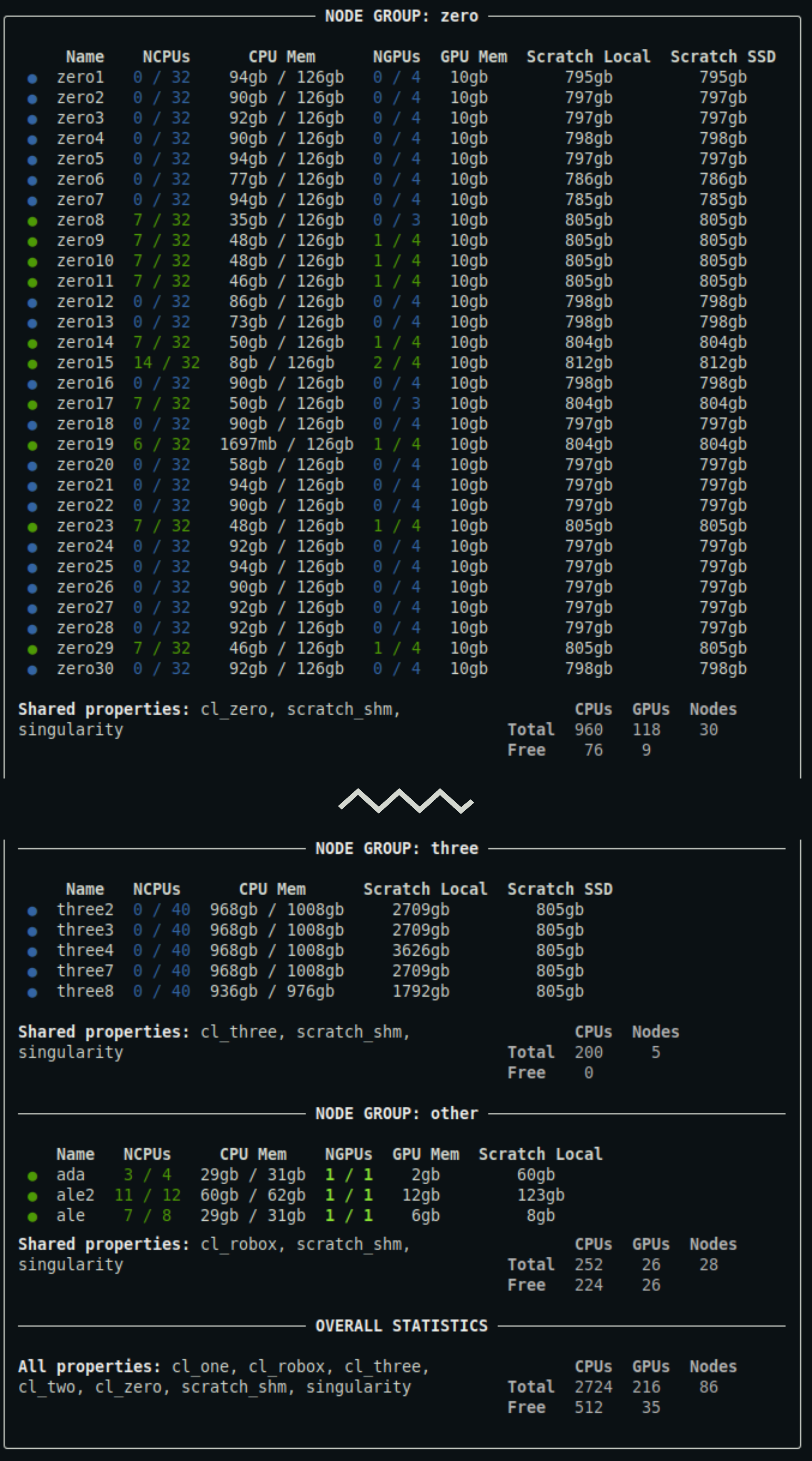
Output truncated. For a detailed description of the output, see below.
qq nodes --all
Displays a summary of all nodes in the batch system, including those that are down, inaccessible, or reserved.
qq nodes --yaml
Prints a summary of all available nodes in YAML format. This output contains the full metadata provided by the batch system.
Notes
- The availability state of nodes is not always perfectly reliable. Occasionally, nodes that are actually unavailable may still be reported as available.
Description of the output
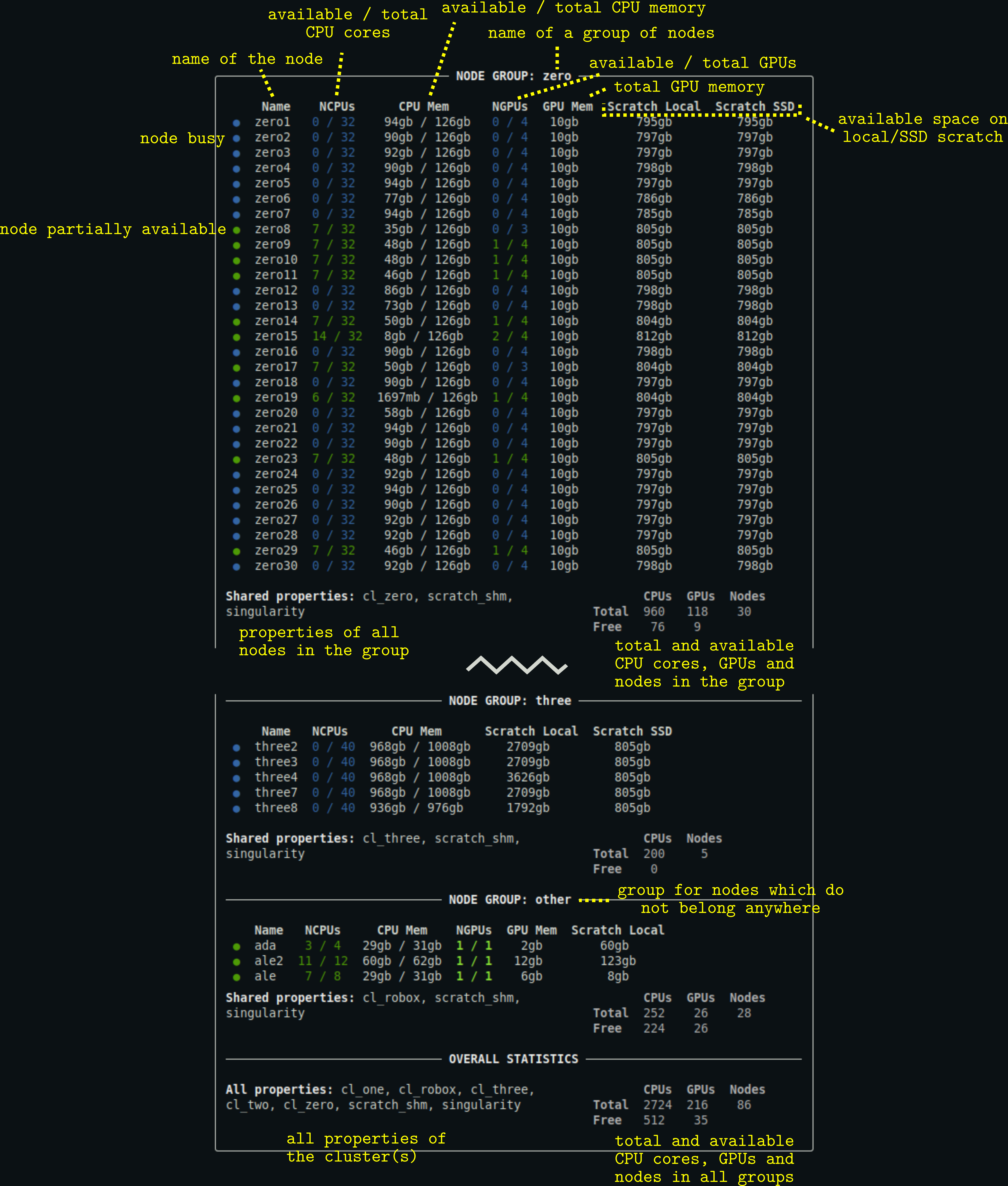
- You can customize the appearance of the output using a configuration file.
- Columns for resources that are not relevant to a given node group (e.g., when no node in the group has GPUs) are hidden.
- For some node groups, there may also be a
Scratch Sharedcolumn specifying the amount of scratch space available to be shared among the nodes.